01
Open Bitget through the Blitz link
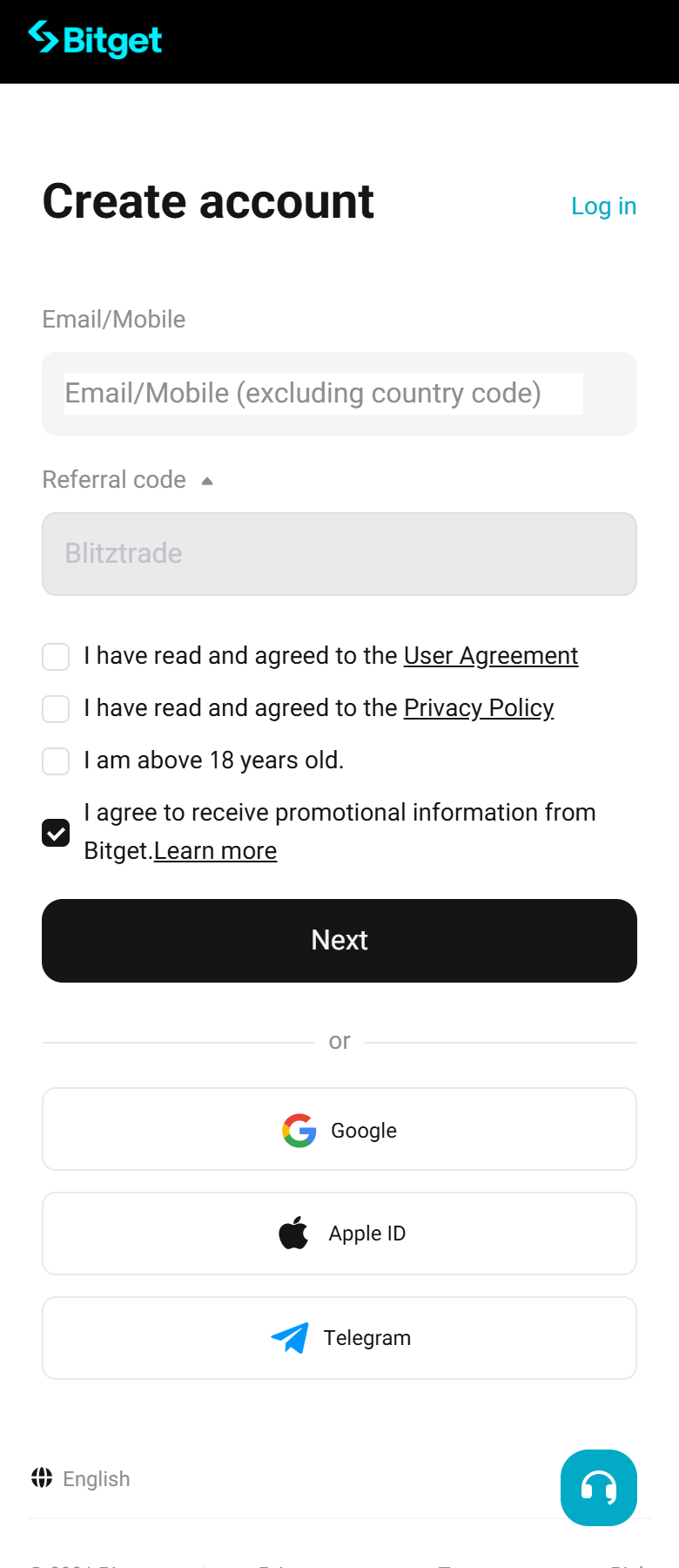
“Create account” opens with the referral code Blitztrade already filled in. Enter email or mobile, tick the agreements, tap Next.
- The code field should show Blitztrade — do not clear it.
Open the account through the Blitz link, verify your identity, then check your first cashback.
Cashback requires a unified trading account
Open the sign-up page through the Blitz link, not by typing the exchange address — that is what links the account to the cashback.
One step at a time
Menu names may differ slightly by app version.
“Create account” opens with the referral code Blitztrade already filled in. Enter email or mobile, tick the agreements, tap Next.
Web: profile icon (top right) → "Identity Verification" → "Verify Now" under Individual Verification. App: "User Center" → "Identity verification".
Bitget credits the cashback within 1 day of the trade. Look in your rebate history.
Know someone who could use this guide? Send them the link.
A few useful answers
The code links an account at sign-up. No verified transfer route is published for Bitget; if you already trade there, the practical option is one of the other exchanges through the Blitz link.
Not for cashback. A first deposit of any amount is needed only for the free indicators.
Fee-paying trades on the account. Funding, spread and slippage are not fees and are not returned.
Check that the account was opened through the Blitz link, that the trade paid a fee, and that 1 day has passed. Then message support on Telegram with your exchange and UID. Never share passwords, API keys or 2FA codes.
Cashback is paid by the exchange. No deposit is required for cashback. The three TradingView indicators are a separate application (KYC + first deposit of any amount).